
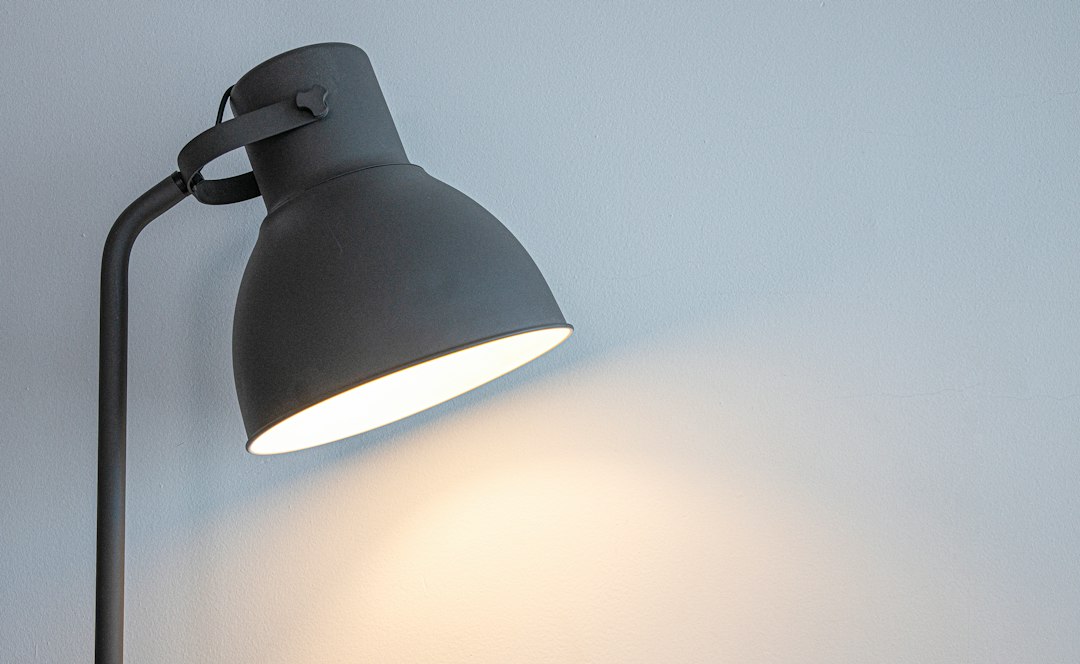
Finding the right eye-care desk lamp isn’t just about picking one that looks nice; it’s about getting the size and wattage right for your specific needs to ensure optimal lighting and prevent eye strain. The sweet spot usually involves a lamp with a wide, even light distribution and a wattage that provides adequate brightness without glare, often in the 8-15 watt range for LED lamps, though this varies significantly with room conditions and tasks.
Understanding Optimal Lighting for Eye Health
When we talk about optimal lighting, we’re aiming for a few key things: sufficient brightness, even distribution, and appropriate color temperature, all without introducing glare or harsh shadows. Poor lighting can lead to various issues, from headaches and blurred vision to long-term discomfort and reduced productivity. It’s not just about having a light source; it’s about having the right light source positioned correctly.
Why Good Lighting Matters for Your Eyes
Your eyes are constantly working, and a poorly lit environment forces them to work even harder. Imagine reading a book in dim light – your pupils dilate to let in more light, your eye muscles strain to focus, and you might find yourself leaning closer, all contributing to fatigue. Conversely, overly bright or poorly positioned lights can create glare, which causes your pupils to constrict excessively, leading to similar strain. The goal is to create a balanced environment where your eyes can perform their tasks comfortably and efficiently for extended periods. This is especially true for detailed work like writing, drawing, or working with small components.
Common Pitfalls of Poor Desk Lighting
Many common desk lamp setups actually contribute to eye strain rather than alleviating it. One major pitfall is a lamp that casts a small, focused beam of light, creating a bright spot on your work surface while the surrounding area remains dim. This stark contrast forces your eyes to constantly adjust as you look between the brightly lit task and the darker background. Another issue is glare, which can come directly from an exposed bulb or indirectly from reflections off your screen, desk, or papers. Lamps with high flicker rates, even imperceptible ones, can also contribute to eye fatigue. Finally, simply having a lamp that’s too weak or too strong for the task at hand means your eyes are constantly over or under-exerting themselves.
Deciphering Lamp Size and Reach
The physical size of your desk lamp, particularly its arm length and head width, plays a crucial role in how effectively it can illuminate your workspace. It’s not just about aesthetics; it dictates the coverage and evenness of light you can achieve. A lamp that’s too small for a large desk will leave significant portions unlit, while one that’s too large for a compact space might feel cumbersome and overbearing.
Arm Length and Workspace Coverage
The arm length of a desk lamp directly affects its reach and the area it can illuminate. For a typical desk where you might be working on documents, using a laptop, and perhaps referencing a book, you’ll want a lamp with an arm long enough to position the light source directly over your primary work area. A short-armed lamp might force you to place it too close to your eyes, leading to glare, or too far to the side, creating uneven shadows.
Consider your typical working posture and the dimensions of your desk. If you have a deep desk, a lamp with a longer, articulating arm will be far more versatile. This allows you to pull the light closer when needed for detailed tasks or push it back for general illumination without moving the lamp base itself. For L-shaped or corner desks, a lamp with a highly flexible or multi-jointed arm can be invaluable for directing light precisely where it’s needed, whether you’re working on the main desk surface or the return.
Lamp Head Size and Light Distribution
The size and shape of the lamp head are equally important for light distribution. A wider lamp head typically means a broader spread of light. This is particularly beneficial for eye comfort because it helps to illuminate a larger area more evenly, reducing the harsh contrast between your task and the surrounding desk space. Lamps with narrow or focused heads, while sometimes useful for very specific, small tasks, often create hot spots and shadows over a broader workspace.
Look for lamps designed with a wider diffuser or a larger array of LEDs. These are engineered to spread light more gently and uniformly across your desk. Some lamps even feature adjustable heads that allow you to change the angle and sometimes even the spread of the light. For general desk work, a wider, diffused light source is almost always preferable to a pinpoint beam, as it reduces eye strain by minimizing the need for your eyes to constantly adapt to varying light levels.
Optimal Wattage and Brightness Explained
When discussing desk lamp wattage, it’s crucial to understand that the number on the bulb or lamp specification doesn’t directly translate to brightness in the same way it used to with incandescent bulbs. Lumens are now the key metric for brightness, especially with the prevalence of energy-efficient LED technology. Wattage, in the context of LEDs, primarily indicates energy consumption, while lumens tell you how much visible light the lamp produces.
Lumens: The True Measure of Brightness
Forget watts for brightness; think lumens. A lumen (lm) is a standard unit of total light emitted from a source. The higher the lumen count, the brighter the light. This is critical because an 8-watt LED lamp might produce the same amount of light (lumens) as a 60-watt incandescent bulb, but with significantly less energy consumption and heat.
For typical desk tasks like reading, writing, or computer work, a good range for a desk lamp is generally between 400 and 800 lumens. However, this is not a one-size-fits-all number. Several factors influence your ideal lumen requirement:
- Ambient Room Lighting: If your room is already well-lit by natural light or overhead fixtures, you might need fewer lumens from your desk lamp. In a dim room, you’ll need more.
- Task Specificity: Detailed tasks like intricate crafts, drawing, or working with small components will require higher lumen counts, potentially pushing into the 800-1000 lumen range, to ensure precision and reduce strain. General reading might be comfortable with 400-600 lumens.
- Personal Preference and Age: Some individuals simply prefer brighter light. Also, as we age, our eyes generally require more light to see clearly. Someone over 50 might need significantly more lumens than someone in their 20s for the same task.
- Desk Surface Reflectivity: A dark, matte desk surface will absorb more light, potentially requiring a higher lumen output, while a light, reflective surface might need less to avoid glare.
Aim for a lamp that offers adjustable brightness (dimmable) so you can tailor the lumen output to your specific needs throughout the day and for various tasks.
Wattage for LED Lamps: Energy vs. Brightness
For LED desk lamps, wattage directly relates to energy consumption, not directly to perceived brightness in the way older incandescent bulbs did. An 8-15 watt LED lamp is often a good starting point for general desk use, offering a balance of efficiency and sufficient light output.
- Low Wattage (e.g., 5-7 watts LED): These lamps might be suitable for very light tasks in an already well-lit room, or as supplementary accent lighting. They might not provide enough primary illumination for demanding eye tasks.
- Medium Wattage (e.g., 8-12 watts LED): This is often the sweet spot for many users, providing ample brightness (typically 400-700 lumens) for reading, writing, and computer work without being overly bright or consuming excessive energy. Many “eye-care” specific lamps fall into this range.
- Higher Wattage (e.g., 13-20 watts LED): For larger desk areas, very dim ambient conditions, or highly detailed tasks where significant illumination is needed, a lamp in this range (potentially 700-1000+ lumens) might be appropriate. However, ensure it has good diffusion and dimming capabilities to prevent glare.
The key takeaway is to look for the lumen rating, and then consider the wattage as an indicator of energy efficiency. A good eye-care lamp will offer a high lumen-to-watt ratio, meaning it produces a lot of light for minimal energy.
Adjustable Brightness (Dimmable Lamps)
One of the most valuable features for an eye-care desk lamp is adjustable brightness, or dimmability. This allows you to fine-tune the light output to precisely match your needs at any given moment.
- Adapting to Ambient Light: As natural light changes throughout the day, or as you turn on/off overhead lights, you can adjust your desk lamp’s brightness to maintain a consistent, comfortable illumination level. This prevents the harsh contrast that causes eye strain.
- Task-Specific Lighting: You might need brighter light for reading small print or detailed craftwork, but prefer a softer glow for simply checking emails or winding down. Dimmable lamps provide this flexibility.
- Personal Preference: Everyone’s eyes are different, and what feels bright to one person might be just right for another. Dimmability ensures the lamp can be tailored to your individual comfort.
Look for lamps with smooth dimming capabilities, ideally without noticeable flicker at any brightness level. Many modern LED lamps offer touch controls for seamless adjustment, and some even have memory functions to recall your preferred settings.
Color Temperature and Its Impact
Beyond brightness and distribution, the color of the light itself plays a significant role in eye comfort and even your productivity and sleep cycle. This is measured in Kelvin (K) and is known as color temperature. Different color temperatures evoke different moods and are better suited for specific tasks or times of day.
Understanding Kelvin (K)
Color temperature describes the warmth or coolness of a light source, measured in Kelvin (K).
- Warm White (2700K – 3000K): This light has a yellowish-orange tint, similar to traditional incandescent bulbs or candlelight. It’s often described as cozy, relaxing, and inviting. While good for unwinding, it can sometimes feel too dim or make colors appear less vibrant for focused work.
- Neutral White / Cool White (3500K – 4500K): This range is often considered ideal for general task lighting. It’s a balanced white, neither too yellow nor too blue. It promotes alertness and concentration without being overly harsh. Many offices and workspaces utilize light in this range.
- Daylight White (5000K – 6500K): This light mimics natural daylight on a clear day. It’s a crisp, bluish-white light that enhances contrast and color accuracy. It’s excellent for tasks requiring high detail, such as drawing, painting, or technical work, as it can boost alertness. However, prolonged exposure, especially in the evening, can interfere with your natural sleep cycle.
Choosing the Right Color Temperature for Your Tasks
The best color temperature isn’t a single number; it depends on what you’re doing and when you’re doing it.
- For General Office Work / Computer Use: A neutral white (3500K – 4500K) is often recommended. It provides good clarity and focus without being overly stimulating. This range helps keep you alert and productive during the day without the harshness of very cool light.
- For Detailed Artistic or Technical Work: Daylight white (5000K – 6500K) can be very beneficial. It renders colors accurately and enhances contrast, making it easier to spot fine details. If you’re an artist, designer, or engineer, this might be your preferred choice during working hours.
- For Reading or Relaxing in the Evening: A warmer white (2700K – 3000K) can be more comfortable. It’s less stimulating, helping your eyes relax and signaling to your brain that it’s time to wind down. Using very cool or bright light in the evening can suppress melatonin production, making it harder to fall asleep.
- For Variable Needs (Tunable White Lamps): The ultimate solution for eye comfort and versatility is a lamp with “tunable white” capabilities. These lamps allow you to adjust both the brightness (lumens) and the color temperature (Kelvin). You can start with a brighter, cooler light (e.g., 5000K) in the morning for energy, transition to a neutral white (4000K) in the afternoon, and then switch to a warmer, dimmer light (3000K) as the evening approaches. This flexibility makes a significant difference in adapting to your natural circadian rhythm and preventing eye strain throughout the day.
When selecting a lamp, consider if it offers multiple color temperature settings or, ideally, full tunable white control. This feature allows you to optimize your lighting for comfort and productivity, irrespective of the time of day or the task at hand.
Positioning Your Desk Lamp for Success
Even the most technologically advanced eye-care desk lamp will fall short if it’s not positioned correctly. Proper placement is paramount to achieving even illumination, preventing glare, and maximizing eye comfort. It’s about creating a balanced lighting environment around your workspace.
Avoiding Glare and Shadows
Glare is one of the biggest culprits of eye strain. It can come in two main forms: direct glare, from seeing the light source itself, and indirect glare, from reflections off your screen, desk surface, or papers.
- Position to Avoid Direct Glare: The lamp head should always be positioned so that the light source is outside your direct line of sight when you’re working. Ideally, the light should come from above and slightly to the side of your work area. If you’re right-handed, place the lamp to your left; if you’re left-handed, place it to your right. This prevents your hand from casting a shadow over your work. The lamp head should also be angled so that the light is directed downwards onto your task, not outwards towards your eyes.
- Minimizing Indirect Glare: Reflective surfaces like glossy monitors, glass desk tops, or even shiny paper can bounce light directly into your eyes. Angle your lamp to minimize these reflections. If you’re working on a computer, try to position the lamp so that its light doesn’t hit your screen directly. Some lamps come with built-in diffusers or anti-glare filters to help soften the light and reduce reflections. Adjusting your monitor’s tilt and brightness can also help combat screen glare.
Optimal Placement for Even Illumination
The goal is to illuminate your primary work area evenly, without creating harsh contrasts between bright and dim spots.
- Overhead and Slightly Forward: For most tasks, positioning the lamp so the light originates from slightly above and in front of your work surface (but not directly in front, blocking your view) is effective. This casts a broad, even light over your desk.
- Adjusting Height and Angle: Most eye-care desk lamps come with adjustable arms and heads. Utilize these features! Experiment with the lamp’s height and angle to find the sweet spot that illuminates your entire workspace comfortably. The ideal height will depend on your desk size and the task, but generally, the light source should be high enough to spread across your area without being so high that it becomes dim.
- Considering the Surrounding Environment: Your desk lamp shouldn’t be the only light source in the room. A completely dark room with only a single, bright desk lamp creates high contrast, which is fatiguing for the eyes. Use ambient room lighting (overhead lights, floor lamps) to provide a general background glow that reduces the contrast between your brightly lit desk and the darker surroundings. The desk lamp should act as supplementary task lighting, not the sole illumination.
- For Computer Users: While you want light on your desk, try to avoid shining direct light onto your computer screen. Your monitor has its own light source, and additional light directly on it can cause reflections and reduce contrast. Instead, aim the desk lamp to illuminate the area around your monitor and your physical documents. Many users find a lamp positioned behind or slightly to the side of their monitor, angled away from the screen, works well for providing ambient light to the workstation without interfering with the display.
By carefully considering the placement of your desk lamp, you can create an ergonomic and eye-friendly lighting environment that supports long hours of work without unnecessary strain. It’s often a process of trial and error to find what works best for your specific setup and personal preferences.